Home / Features
Features

Everything you need to understand your area

Jirani AI combines a live map, community reports, trusted news, local communities and AI into one simple app, in English and Kiswahili.

Illustrated neighbourhood with location pins
Home screen
Home & feed

Your neighbourhood at a glance

Open Jirani AI and see where you are, the latest issues nearby and national news for your country. No account needed to look around.
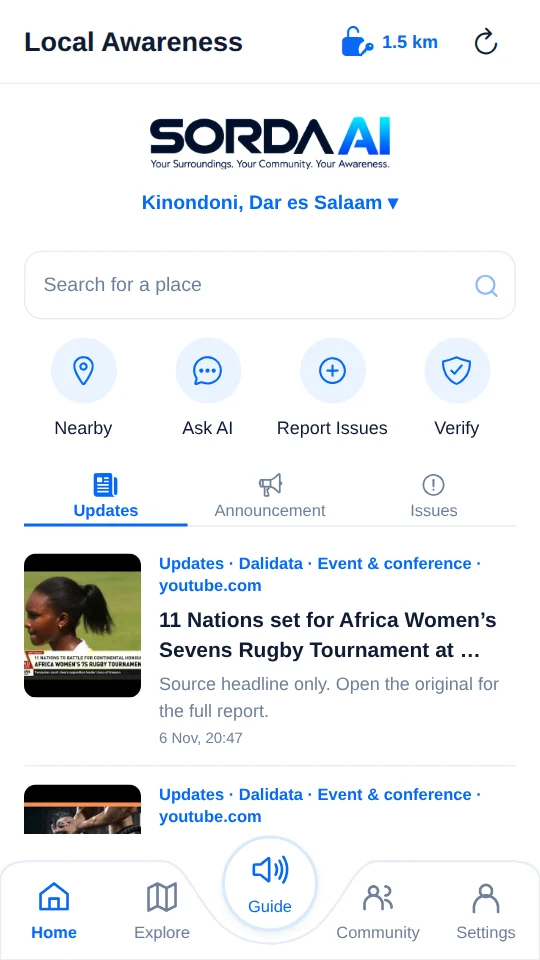
  • Tabs for Updates, Announcement and Issues.
  • Search any place in Tanzania and see what is happening there, even as a guest.
  • Quick actions: Nearby, Ask AI, Report Issues and Verify, with a count of nearby issues waiting to be verified.
  • One Refresh reloads everything and helps you turn location on.
  • Follow places you care about: home, work, family.
Map screen
Explore

See reports where they happen

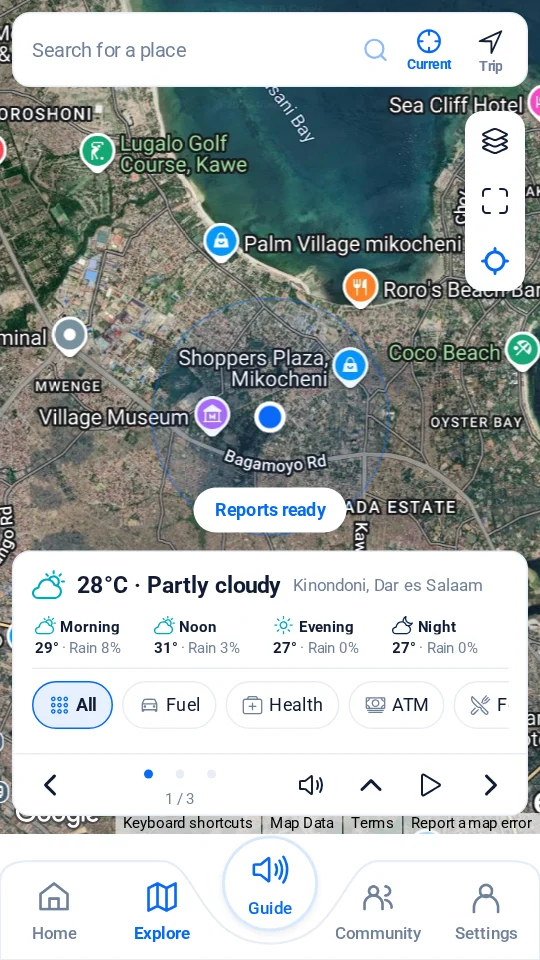
The map shows issues around you. Tap a pin for the details, photos and status. The map stays in front; the card below opens when you want more.
  • Weather now and for morning, noon, evening and night.
  • Nearby services by type: fuel, health, ATM, food, lodging, religion, police, shopping, transport, school.
  • Announcements nearby and issues waiting for people to verify.
  • Travel: arrival time with traffic, rain on the way, services along the route, saved trips and live trip sharing.
  • People around: groups, people who chose Public, and recent messages from your groups, each with how far away it is. Tap to hear them read aloud.
  • Street and satellite views, fit and current location in the toolbar on the right.
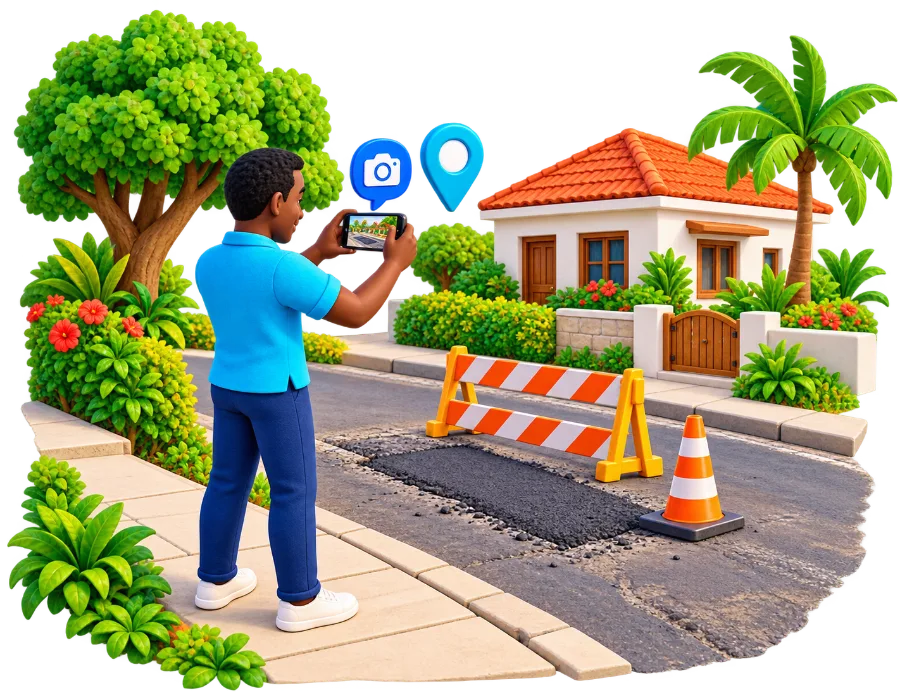
Man photographing a damaged road
Report issues

Share what you see in under a minute

Describe what is happening, add a photo, and your current location is added for you. The category is picked from your words, and you can change it.

  • Before sending you choose who sees it: public for everyone, or private for you, Jirani AI and the chosen sector.
  • Send to a sector such as a water, power or roads authority. Only sectors that work at your location are listed.
  • No internet? The report is saved and uploads automatically when you reconnect.
  • Photos are cleaned of hidden camera data before they are shared.
Neighbours chatting with their phones
Communities

Groups for the places you share

Join or create a community for your street, estate, market or town. Where people live and no group exists yet, Jirani AI opens an area group for the neighbourhood that anyone nearby can join.

  • Group chat with photos, and one-to-one chat with members who are available.
  • Every group has a category and can have a policy that members accept.
  • Announcements with image, link, map, event date and end date.
  • Every group has a permanent code like SG-4321 to share and search.
  • All, Unread, People and Groups filters, so you never miss what matters.
More about communities
Woman listening to an update with headphones
Ask AI & Guide

Ask anything about a place, or just listen

The AI guide answers questions using published reports, news and group announcements, and shows the sources it used. Ask AI never reads group chats.

  • Ask AI: "Is there flooding near Jangwani today?"
  • "Where is the nearest pharmacy?" Ask AI finds nearby places and knows today's and tomorrow's weather. It answers in your language.
  • Guide reads out a narration of your area: weather, nearby reports, services and an AI summary, plus the groups, people and places around you. Your preferences decide what it covers.
  • Adjust playback speed, skip, or switch place.
And much more

Small details that make a big difference

Notifications

Alerts for your communities and reports, even when the app is closed. Your preferences and quiet hours decide what you get; the bell shows the last 24 hours. A morning brief tells you about new reports and rain at places you follow.

English & Kiswahili

Switch with one tap on the sign-in screen or in Settings. Screens, categories and messages are translated.

Works offline

Your groups, preferences and recent chats stay on your phone. Messages you write offline wait and send when you reconnect.

Availability

Choose Off, Members or Public, and how far you can be found. The icon at the top shows your choice, and the same distance sets what you see nearby.

Preferences

Switch categories such as News, Community and Safety on or off. They shape your feed, your notifications and what Guide reads to you.

Verify & confirm

Confirm reports you have seen and add evidence to help others know what is true.

Jirani tokens

Useful reports earn tokens. See pending and available tokens in Settings.

How tokens work

Report or block

Report a message, photo or comment, or block a person, from the message itself. Moderators review every report.

Your data, your choice

Download a copy of your data or delete your account from Settings → Account data.

Ready to see your area clearly?

Free on Android and in any browser.